
The Japan eVisa login portal at evisa.mofa.go.jp lets applicants register, submit tourist visa applications and track status online for a ¥15,000 fee effective 1 July 2026. Most UK passport holders are visa-exempt for short-term stays and do not need to use the portal. Non-UK passport holders residing in the UK who hold passports from visa-required countries can apply through the Japan eVisa system for single-entry tourist visas of up to 90 days.
The MOFA-operated portal covers registration, document submission, payment and status tracking. This guide covers account creation, login troubleshooting, dashboard management and UK support contacts; all figures current as of September 2026.
Last updated: September 2026. Information sourced from the MOFA eVisa portal and the Embassy of Japan in the UK.
What Is the Japan eVisa System and How to Access the Login Portal
The Japan eVisa login portal serves single-entry tourist visa applications of up to 90 days. Only ordinary passport holders are eligible; diplomatic and official passports are excluded. The sign-in page displays email/password fields, a CAPTCHA box, a “Sign In” button and a “Forgot your password?” link, with English and Japanese language options.
Only non-UK residents in the UK with visa-required passports need apply. Nationals of China, the Philippines and Viet Nam residing in their home countries must apply through an accredited agency as part of a packaged tour. Do not confuse this portal with Visit Japan Web (vjw.digital.go.jp, immigration/customs) or JESTA (not yet operational as of September 2026).
Step-by-Step Guide: Creating Your Japan eVisa Account
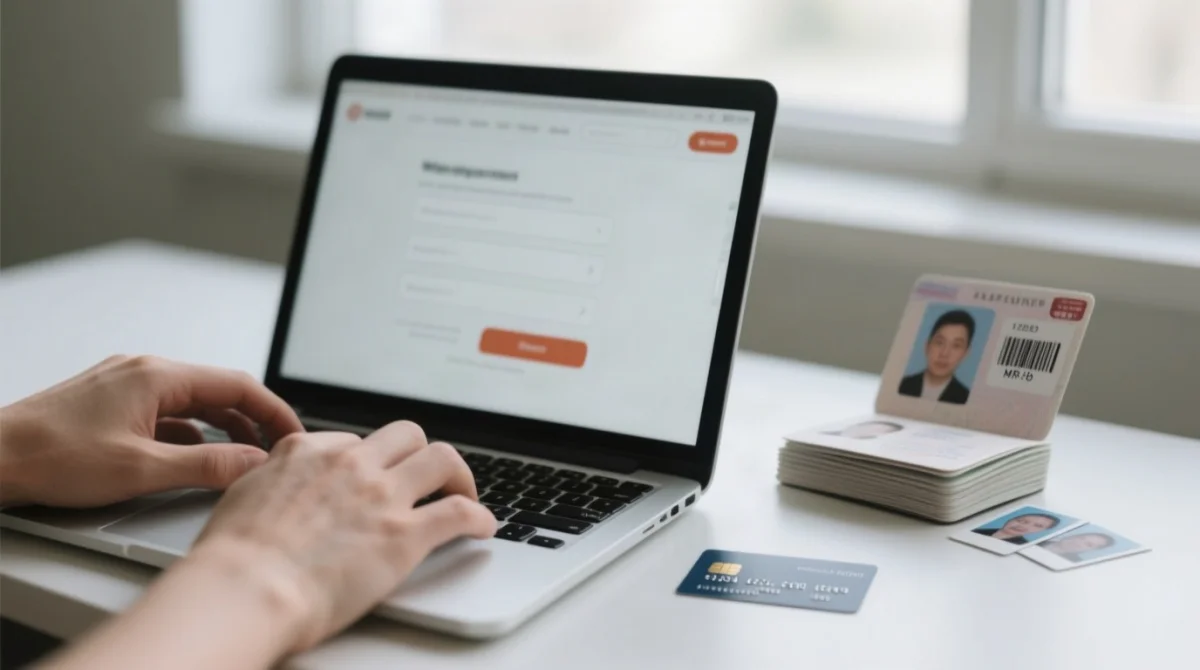
The Japan eVisa login portal guides you through seven steps:
Visit the portal and check required documents
Select your nationality and country of residence to check required documents.
Create an account
Register with your email address and a password.
Verify your email
Click the activation link sent to your inbox.
Enter your application details
Fill in the online form with your application details.
Upload your documents
Upload your documents according to the specifications below.
Review and submit
Review and submit the application.
Wait for the examination result
Wait for the examination result notification sent to your registered email.
The earliest you can apply is 3 months before travel; applications for travel within 1 week are not accepted. You must remain in your country of residence during the process. Common mistake: using an email address you cannot access later – there is no recovery option if you lose access.
What You Need Before You Start
Checklist: valid ordinary passport, digital photo (taken within 6 months), travel itinerary/flight booking, and an online credit card (in principle, the cardholder must be the applicant; exemption for minors).
Document Upload Requirements
| Document | Specifications |
|---|---|
| Photo | JPG/PNG/GIF/BMP/HEIC, under 2 MB, 4.5 × 3.5 cm, plain white background, no glasses, no hat, face centered, no ID-document crops, taken within 6 months |
| Passport scan | PDF/TIF/JPG/PNG, minimum 640×480, must include MRZ |
| Supporting documents | Maximum 50 pages, under 2 MB per file |
Check whether the portal has an in-portal image cropping utility; if not, resize manually before upload. Payment requires an online credit card; the Japan eVisa login portal does not accept cash.
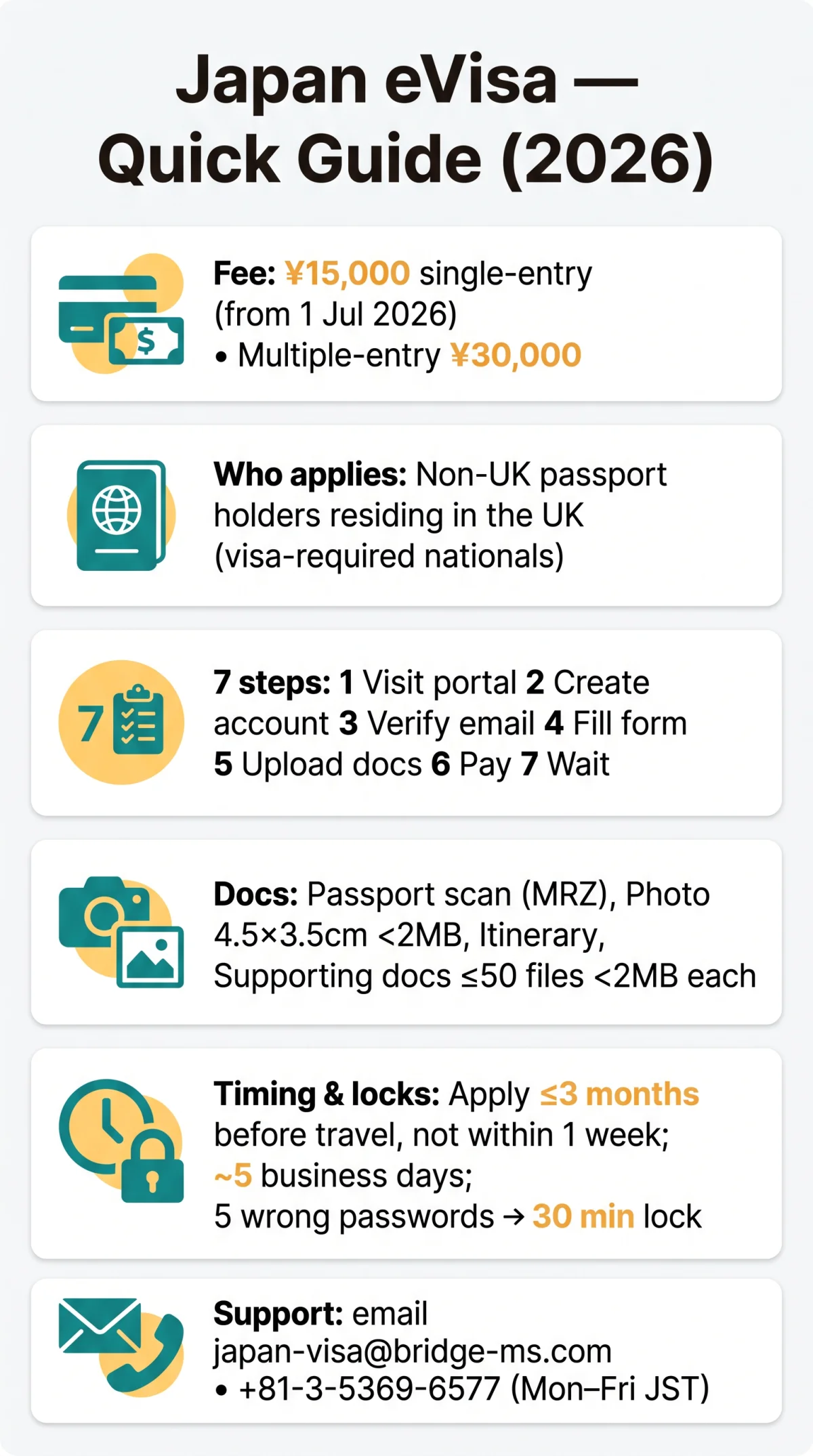
Logging In and Troubleshooting the Japan eVisa Portal
Japan eVisa login failures stem from incorrect credentials, expired sessions, browser incompatibility, or account lockouts after five wrong password attempts. The Japan eVisa login portal requires your registered email and password plus a CAPTCHA to reach the applicant dashboard. If two-factor authentication (2FA) is enabled, complete that step as well.
First: confirm the URL, clear cache, disable ad-blocker/VPN, check CAPS LOCK and spam folder.
After 5 consecutive wrong password attempts, the portal locks your account for 30 minutes. Accounts also auto-terminate after 365 days of inactivity. To reset a forgotten password, click “Forgot your password?” on the login page, enter your registered email, and follow the reset link sent to your inbox.
The portal supports current versions of Chrome, Firefox, Safari, and Edge with JavaScript and cookies enabled. UK applicants using BT Mail or Virgin Media may find system emails blocked; whitelist the sender address or switch to a Gmail or Outlook account to receive activation and reset links reliably.
How to Reset Your Japan eVisa Password
Step-by-step: (1) navigate to the login page, (2) click “Forgot your password?”, (3) enter your registered email, (4) check spam/junk for the reset link, (5) click the link within its validity window, (6) create a new password, (7) confirm and log in. If the reset link does not arrive, try again after 10 minutes or contact [email protected].
Account Locked After Too Many Attempts
After 5 wrong passwords, the account is locked for 30 minutes. Wait and retry, or use the password reset option. Accounts terminate after 365 days of inactivity. If locked out repeatedly, contact support.
Browser Compatibility for the Japan eVisa Portal
Current Chrome, Firefox, Safari and Edge; JavaScript and cookies required. VPNs and ad-blockers can block access; avoid private/incognito mode. iOS VoiceOver has flicking issues on related MOFA portals – workaround: tap anywhere on screen, then move focus.
Why You Are Not Receiving the Confirmation Email
Common causes: email in spam/junk, provider blocking system emails (particularly BT Mail, Virgin Media, strict corporate domains), typo in registered email. Fixes: whitelist the sender, check spam, try Gmail/Outlook, or update your email in the Account menu if already logged in.
Managing Your Japan eVisa Application After Login
The Japan eVisa login portal applicant dashboard displays application status, a notification centre, profile settings and logout. After submission, applications track through five stages: Temporarily Received, Under Examination, Approved, Fee Payment, and Visa Issuance Notice.
Family application feature: principal applicant info is partly copied to family members’ forms; fees paid in one transaction. Eligibility: same itinerary, same consular jurisdiction. Proxy application requires a letter of authorization; the proxy must provide the applicant with a PDF or printed copy of the Visa Issuance Notice with QR code.
Withdrawal is only possible while status remains “Temporarily received.” If refused, a mandatory 6-month reapplication waiting period applies; refusal reasons are not disclosed. Incomplete applications are cancelled without processing; incorrect information or documents cause delay or cancellation.
How to Check Your Application Status
Log in to the Japan eVisa login portal – your dashboard shows status as “Temporarily received,” “Under examination,” “Approved,” or “Rejected.” Status updates are also sent to your registered email. Refusal reasons are not disclosed by MOFA.
Updating Personal Information on the Portal
Before submission: edit all fields freely. After submission: modifications are NOT permitted – you must withdraw (only possible in “Temporarily received” status) and reapply. Email address can be changed at any time via the Account menu.
Withdrawing an Application
Withdrawal is only available while status is “Temporarily received.” After withdrawal, you may reapply immediately. If refused, a mandatory 6-month waiting period applies. Refusal reasons are not disclosed.
Japan eVisa Fees, Processing Times and Visa Issuance Notice
The Japan eVisa login portal charges a ¥15,000 single-entry fee (effective 1 July 2026, first increase since 1978; previous: ¥3,000). Multiple-entry visa: ¥30,000 (previous: ¥6,000). Online credit card only – no cash; cardholder must be the applicant (minors exempt); no refunds after visa issuance.
Processing takes approximately 5 business days from when the embassy confirms the application is complete; can extend beyond one month during peak periods, interviews, or additional document requests. Visa validity: 3 months from issuance, cannot be extended, invalid after one entry. Passport renewal after eVisa issuance invalidates the visa.
At the airport, display the Visa Issuance Notice on a mobile device – PDFs, screenshots and printouts are rejected. Eligible transport: air or international scheduled ferry (Japan-Busan or Japan-Shanghai routes only). The portal is available 24/7, but applications are examined during consular working hours.
Japan eVisa Support, Privacy and Data Rights for UK Applicants
For unresolved Japan eVisa login portal issues, email [email protected] (English), visit uk.emb-japan.go.jp, or call +81-3-5369-6577 (Mon-Fri 09:00-17:00 JST; 00:00-08:00 GMT).
FRESC MOFA: Yotsuya Tower 13F, 1-6-1 Yotsuya, Shinjuku-ku, Tokyo, 160-0004; Navi-Dial 0570-011000.
MOFA headquarters: 2-2-1 Kasumigaseki, Chiyoda-ku, Tokyo 100-8919, Japan; phone +81-(0)3-3580-3311.
UK residents can request deletion of personal data under UK GDPR via the Information Commissioner’s Office (ICO): ico.org.uk. Data stored includes passport scans, applicant photos, travel itinerary and personal identification details. Accounts auto-terminate after 365 days of inactivity.
Verification links: MOFA eVisa portal | Embassy of Japan in the UK | ICO (UK GDPR)
FAQ: Japan eVisa Login Portal
How do I log in to the Japan eVisa portal for the first time?
Visit evisa.mofa.go.jp, enter your registered email and password, complete CAPTCHA, and access your applicant dashboard. First-time users must create an account and verify their email via the activation link.
Why is my Japan eVisa login not working?
Wrong password, CAPTCHA errors, browser issues, or lockout after 5 failed attempts. Wait 30 minutes or reset your password; enable JavaScript/cookies and disable VPN/ad-blockers.
How do I reset my Japan eVisa password?
Click “Forgot your password?” on the login page, enter your email, and follow the reset link sent to your inbox. Check spam folder; if no email arrives, try again after 10 minutes or contact [email protected].
How do I check my Japan eVisa application status?
Log in to the portal – your dashboard displays status as “Temporarily received,” “Under examination,” “Approved,” or “Rejected.” Status updates are also sent to your registered email.
What browsers are compatible with the Japan eVisa login portal?
Current Chrome, Firefox, Safari and Edge; JavaScript and cookies required. VPNs and ad-blockers can block access; avoid private/incognito mode. iOS VoiceOver has flicking issues on related MOFA portals.
How long does Japan eVisa processing take in 2026?
Approximately 5 business days from completeness confirmation, potentially extending beyond one month during peak periods. Applications for travel within one week are not accepted.
Do UK passport holders need to apply for a Japan eVisa?
No – British passport holders are visa-exempt for short-term stays. Only non-UK passport holders residing in the UK with visa-required passports need apply.
What is the Japan eVisa fee in 2026?
Single-entry fee: ¥15,000 (from 1 July 2026; first rise since 1978). Online card only – no cash; cardholder must be applicant (minors exempt); no refunds after issuance.
Can I withdraw my Japan eVisa application after submitting it?
Only while status is “Temporarily received.” After refusal, a mandatory 6-month waiting period applies. Refusal reasons are not disclosed by MOFA.
How do I contact Japan eVisa support from the UK?
Email [email protected] (English), visit uk.emb-japan.go.jp, or call +81-3-5369-6577 (Mon-Fri 09:00-17:00 JST).