
By the editorial team. Last updated September 2026. This is an independent informational guide; always refer to the JAPAN eVISA portal for the most current requirements.
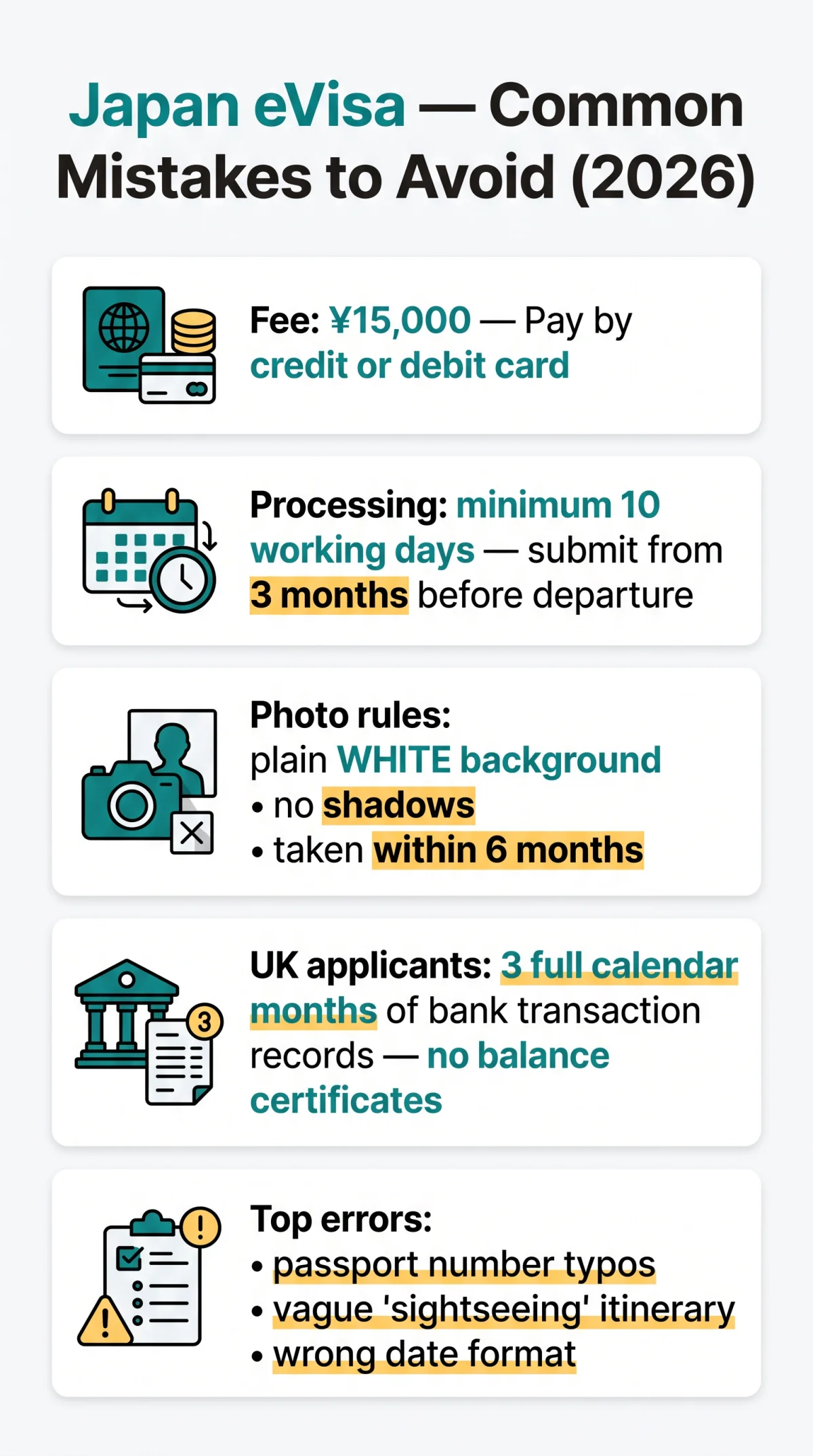
The most frequent eVisa Japan common mistakes include uploading a photo with shadows or wrong background, entering a passport number with one wrong digit, and submitting a Schedule of Stay containing the phrase “sightseeing”.
The JAPAN eVISA system managed by the Ministry of Foreign Affairs of Japan requires strict adherence to formatting rules. UK residents eligible for direct online submission must provide three full months of bank transaction records and a detailed day-to-day schedule of stay to avoid automatic rejection.
Why Japan eVisa Applications Get Rejected in 2026
eVisa Japan application mistakes in 2026 stem from avoidable data-entry errors, non-compliant photo uploads, and submitting the application too close to the departure date. The JAPAN eVISA system issues a single-entry, short-term stay visa for tourism only. UK residents are among nine eligible nationalities permitted to apply directly online.
Processing requires a minimum of 2 weeks (10 working days) from lodgement, and the earliest submission window is 3 months before intended departure. Applications lodged with fewer than 10 working days remaining are returned without examination. During peak holiday seasons and long public holidays, processing takes longer than the standard two-week minimum.
Photo-specification errors such as shadows, non-white background, or photo of a photo are common Japan eVisa mistakes that cause immediate rejection. Photos must be taken within the last 6 months, feature a plain white background, and use natural light to avoid shadows. The passport biodata page scan must be clear and readable. If the portal returns the error “the specified area is out of the image,” resize the file to the exact required dimensions and re-upload.
Personal Data and Travel Itinerary Mistakes
Common eVisa Japan application mistakes in this section include name mismatches, date format errors, and vague itinerary entries.
- Name spelling mismatches are frequent eVisa Japan application mistakes; names must match the biodata page exactly, every character, including Ñ, Ö, macrons.
- Date format errors arise when applicants accustomed to MM/DD/YYYY enter dates in fields expecting DD/MM/YYYY; a birth date of 05/06/1990 becomes June 5th instead of May 6th.
- Passport number typos cause automatic cross-reference failures against global databases; one wrong digit is sufficient.
- Wrong visa category selection creates a mismatch with supporting documents; the category must match the exact purpose of travel (e.g., tourism versus visiting friends or family).
- Blank non-applicable fields must contain ‘NONE’ or ‘NA’; leaving them empty generates processing errors.
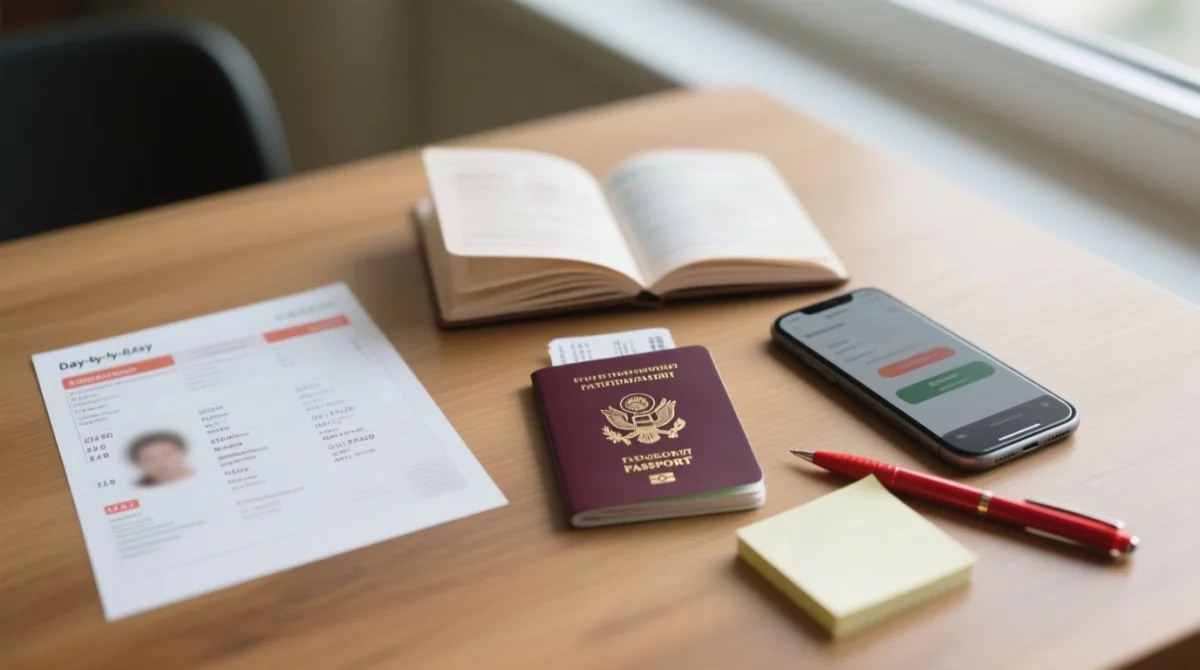
- Schedule of Stay must follow a day-to-day format. Vague descriptions such as ‘sightseeing’, ‘explore (city name)’, ‘day trip’, ‘tour’, ‘travel to (city name)’ are explicitly rejected.
- Accommodation entries require the name, full address, and phone number for each day. For Airbnb stays, write ‘Airbnb’ in the contact box.
- Flight bookings do not need to be purchased prior to application; screenshots of intended flights or e-tickets are acceptable.
Japan eVisa for UK Residents: Financial Proof and Key Rules
UK passport holders must provide three full months of bank transaction records processed through the Embassy of Japan in London. Financial proof errors rank among the most damaging eVisa Japan application mistakes.
Applications are processed through the Embassy of Japan in the United Kingdom, 101-104 Piccadilly, London W1J 7JT. UK residents cannot apply from a travel destination.
Embassy of Japan in the United Kingdom, 101-104 Piccadilly, London W1J 7JTThe system requires three full calendar months of transaction records; January to March counts as only two months. Balance certificates and credit card statements are explicitly rejected, making these common Japan eVisa mistakes easy to avoid. Large deposits must be traced to their originating source with supporting documents. Transaction lists must display the applicant’s name and address; altering documents by cutting or pasting details results in immediate rejection. The fee is ¥15,000, payable by credit or debit card. UK applicants should verify foreign transaction fees with their card issuer for JPY payments.
| Document Type | Accepted? | Notes for UK Applicants |
|---|---|---|
| Bank transaction records (3 months) | Yes | Must show name, address, 3 full calendar months |
| Bank balance certificate | No | Transaction records required, not balance snapshots |
| Credit card statements | No | Only bank account records accepted |
| Savings account statements | Yes | Source account records also needed if funded by transfers |
What to Do If Your eVisa is Rejected or Returned
A returned application can be corrected immediately; a formal rejection bars reapplication for six months unless circumstances change significantly.
Identify the status
If returned for incomplete documents, correct the identified eVisa Japan application mistakes and resubmit immediately. If formally rejected, the 6-month bar applies for the same purpose of visit.
Review rejection grounds
The Ministry of Foreign Affairs does not provide specific rejection reasons. Common Japan eVisa mistakes masked by vague language include errors in submitted documents, omissions, and insufficient passport validity.
Respond to requests
If you receive a Request for Additional Documents, respond promptly within the stated timeframe. Failure to do so halts the examination, and the visa cannot be issued.
Prepare for departure
Once approved, display the digital Visa Issuance Notice 2D barcode on a mobile device or printed PDF at airline check-in and Japanese immigration.
How to Prepare for and Present Your eVisa at the Airport
Japan eVisa holders must display the Visa Issuance Notice’s 2D barcode on a mobile device or printed PDF at airline check-in and present it again at Japanese immigration. There is no physical sticker in the passport. Avoiding eVisa Japan application mistakes extends to this stage: ensure your digital visa is accessible offline before departure.
Pre-departure preparation: download the PDF before travelling, take a screenshot as backup, ensure your mobile device has sufficient battery, and print a hard copy as failsafe. At airline check-in, present the 2D barcode alongside your passport. At Japanese immigration, present it again for entry processing.
Ensure your eVisa is approved well before departure (minimum 2 weeks / 10 working days). If travelling during peak seasons (Golden Week: late April to early May; Obon: mid-August; New Year: late December to early January) or long UK public holidays, allow extra processing time. Failing to download the PDF in advance is among the Japan eVisa mistakes that can result in denied boarding.
FAQ
What are the most common mistakes when applying for a Japan eVisa in 2026?
The most frequent eVisa Japan common mistakes include photos with shadows, passport number typos, wrong visa category, vague Schedule of Stay, and insufficient financial proof such as balance certificates instead of transaction records.
What photo specifications does the Japan eVisa require?
Photo errors are frequent eVisa Japan application mistakes; photos must be taken within 6 months against a plain white background, using natural light with no shadows. A photo of a photo and school photos for children are prohibited; the top of the head must not be cut off.
Can I use eVisa for transit through Japan?
Confusing transit with tourism eligibility is among the eVisa Japan application mistakes to avoid; the eVisa is for single-entry short-term tourism, not transit. Those transiting airside without clearing immigration typically need no additional documents, but clearing immigration requires a valid visa.
Is there an expedited processing option for the Japan eVisa?
Late submission is one of the most common Japan eVisa mistakes; no fast-track option exists. Standard processing is 2 weeks; apply early during peak seasons.
My Japan eVisa application was returned for corrections. How do I resubmit?
If returned rather than formally rejected, correct the eVisa Japan application mistakes and submit a completely new application. There is no edit function after submission.
Which payment methods are accepted for the Japan eVisa fee?
Payment failures are eVisa Japan application mistakes that leave applications unconfirmed. The ¥15,000 fee must be paid by credit or debit card; UK applicants should check foreign transaction authorisation for JPY payments with their card issuer.
Do dual nationals need to declare both citizenships on the Japan eVisa application?
Omitting nationalities is among the eVisa Japan application mistakes that trigger fraud-flag cross-checks. All nationalities must be declared, including old passport numbers linked to previous citizenships.
What browser and device should I use for the JAPAN eVISA portal?
Technical portal errors compound eVisa Japan application mistakes; use an up-to-date Google Chrome or Mozilla Firefox on a desktop. Safari and mobile browsers may experience upload glitches. Save progress frequently due to session timeouts.
How do I present my Japan eVisa at the airport?
Airport presentation errors are eVisa Japan application mistakes that can cause denied boarding. Display the Visa Issuance Notice 2D barcode on a mobile device or printed PDF at check-in and immigration; download the PDF before travelling.
Sources: JAPAN eVISA portal (evisa.mofa.go.jp); Ministry of Foreign Affairs of Japan (mofa.go.jp); Embassy of Japan in the United Kingdom, London.