Japan eVisa photo requirements for UK applicants: 35 × 45 mm colour photo, plain white background, JPEG format, max 240 KB, taken within 6 months. Common upload errors: wrong format, oversized files, browser cache. Last reviewed 9 September 2026 against the MOFA eVisa portal. This is an informational guide; always verify with official sources before submitting.
Japan eVisa Photo Dimensions, Background & Digital File Specs
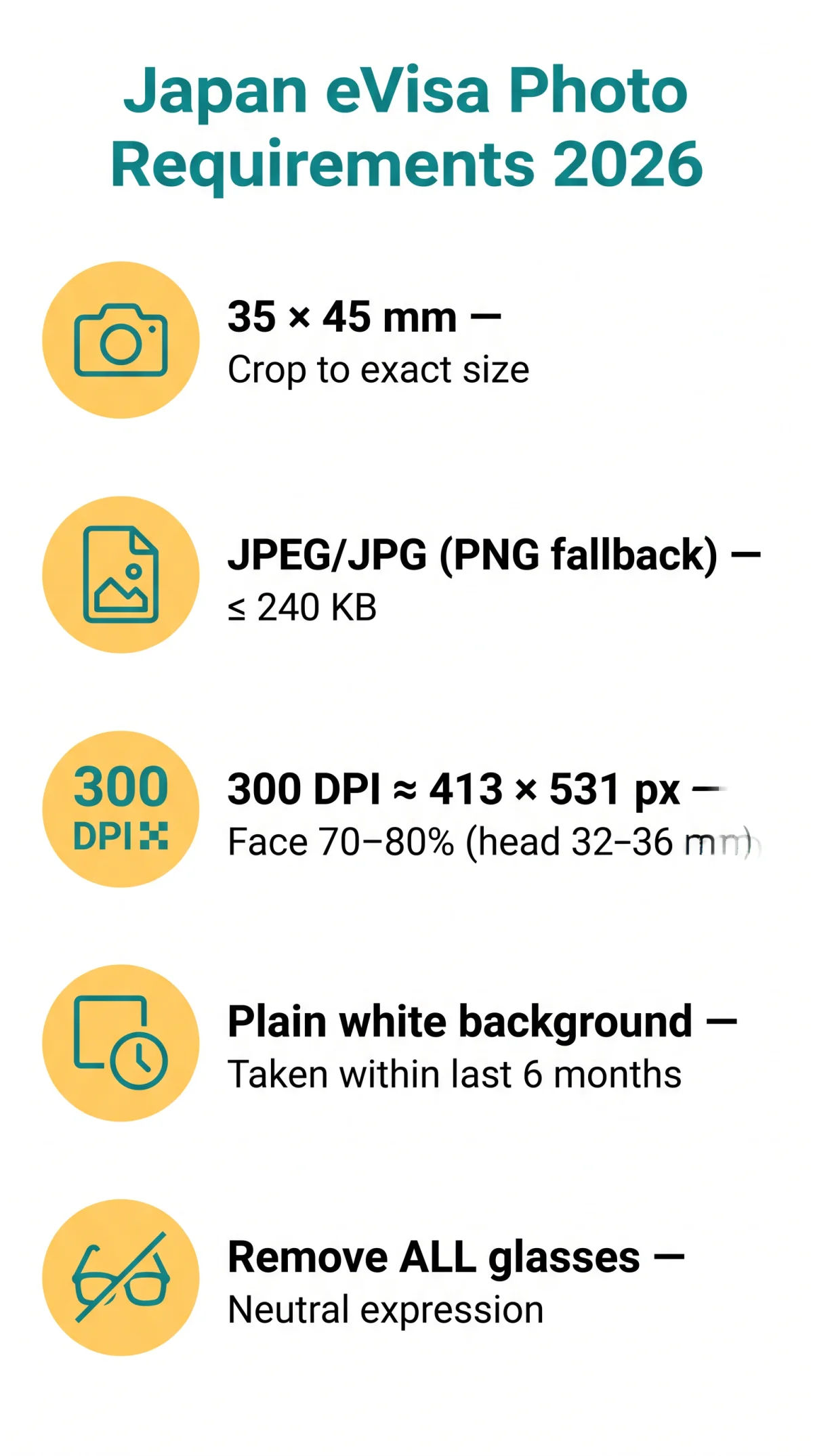
The Japan eVisa system requires a 35 × 45 mm colour photo with a plain white background, face occupying 70-80% of the image, and 300 DPI resolution. UK applicants should default to 35 × 45 mm unless instructed otherwise.
| Specification | Required Value | Common Mistake |
|---|---|---|
| Dimensions | 35 × 45 mm | Using 45 × 45 mm (US physical-only variant) |
| Pixel size at 300 DPI | ≈ 413 × 531 px | Wrong DPI settings |
| Background | Plain white | Light gray or light blue |
| Colour mode | Colour only | Black and white |
| Recency | Within last 6 months | Older photo |
| Face proportion | 70-80% of image | Face too small |
Accepted Digital File Formats, File Size & Resolution
Japan eVisa photo requirements accept JPEG/JPG as primary format and PNG as fallback. PDF, HEIC, BMP, GIF, TIFF, and WebP are rejected. Maximum file size: 240 KB. Exceeding this limit causes silent upload failure or a generic “Upload Failed” message. Minimum resolution: 300 DPI (≈ 413 × 531 px). Below 300 DPI: pixelation and rejection. Digital alteration, retouching, and filters are strictly forbidden. Lighting must be even with no shadows on the face or background and no red-eye effect.
Head Size, Expression, Glasses & Head Coverings Rules
Rules for the Japan eVisa photo: neutral expression, closed mouth, eyes open, no head tilt. All glasses must be removed, including prescription eyewear (VFS Global enforced standard).
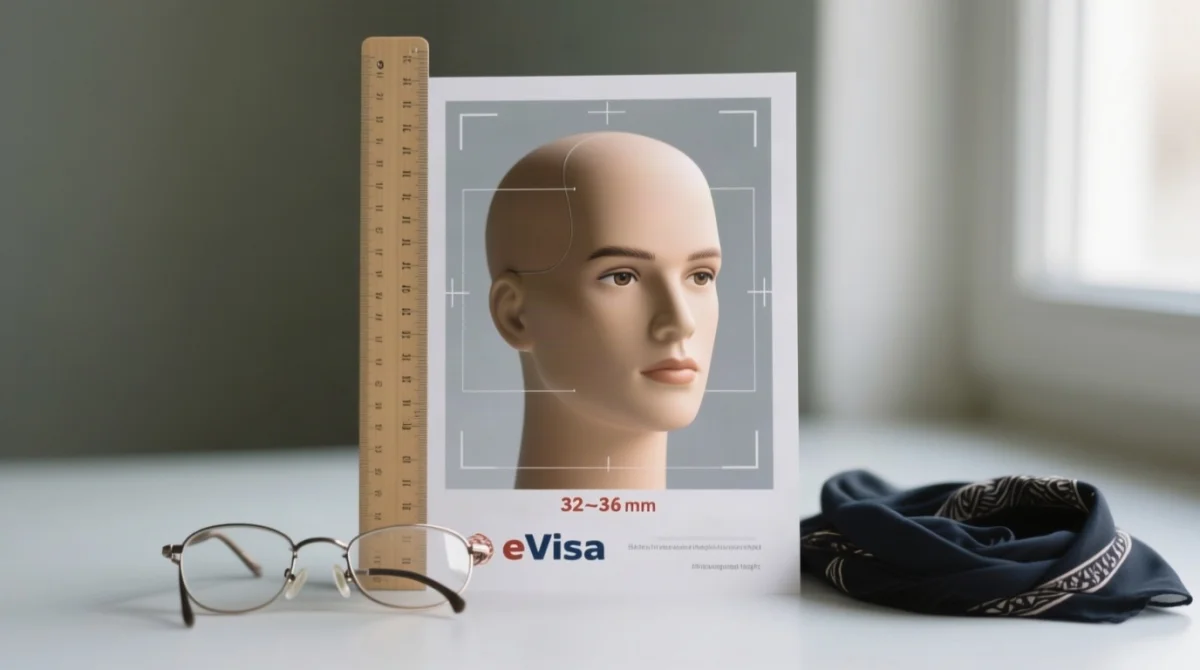
- Face must occupy 70-80% of the photo; head height 32-36 mm.
- Head centred, directly facing the camera; shoulders straight; head tilt prohibited.
- Neutral expression only: closed mouth, no smiling, no teeth showing.
- Eyes open and visible; hair must not cover the face or eyes.
- Colour photo only; black-and-white images are not accepted.
Glasses & Prescription Eyewear Policy
All glasses must be removed for your Japan eVisa application. Tinted lenses banned; clear frames risk glare rejection during biometric processing.
Head Coverings & Religious Exceptions
Head coverings are not allowed for the Japan eVisa photo, with an exception for religious or medical items worn daily. The face must be fully visible from forehead to chin, no shadows cast, and a dark colour is recommended.
Japan eVisa PDF Document Size Limits & Preparation
Supporting PDF documents for the Japan eVisa should stay under 2 MB each. Bank statements typically run 150-300 KB; flight itineraries 80-150 KB; passport scans ~200 KB. Password-protected or encrypted PDFs are prohibited by the Japan eVisa upload system.
Merging Pages & File Naming Rules
Merge multi-page bank statements into a single PDF using Adobe Acrobat, Smallpdf, or ILovePDF. Prohibited filename characters: spaces, #, &, /, accented letters, and non-Latin scripts. Use the template: Surname_GivenName_DocumentType_2026.pdf to prevent upload errors.
How to Compress Heavy PDF Files
Never compress below 200 DPI for bank statements. Target: 150-300 KB per page. Use Acrobat “Reduce File Size,” Smallpdf, or ILovePDF. We tested these three tools: all reduced a 4 MB bank statement to under 2 MB without losing account number legibility at 200 DPI.
Scanning Passport & Preparing Documents for Japan eVisa
Passport scans for the Japan eVisa should be 200-300 DPI in colour or greyscale, with camera flash glare avoided on the MRZ zone to ensure OCR readability.
Optimal Scanner Settings for Visa Documents
Scan the passport bio-data page at 200-300 DPI, colour or greyscale. Flat scan only; no curved pages. Save at high quality to avoid JPEG artefacts. Use a flatbed scanner with the lid closed.
Scanning Your Passport: Avoiding MRZ Glare
The Machine Readable Zone (MRZ) at the bottom of the bio-data page contains two lines of characters. Flash and scanner lamp reflections across the MRZ halt automated identity parsing per ICAO Document 9303. Disable flash; scan at a slight angle if using a phone camera.
Troubleshooting Japan eVisa Upload Failures & Error Codes
Most Japan eVisa upload failures are resolved by clearing browser cache, disabling ad-blockers, compressing files under 240 KB, and using Chrome on desktop.
Can You Upload Documents From Your Phone?
| Browser | OS | Status |
|---|---|---|
| Chrome Desktop | Windows/macOS | ✓ Reliable |
| Edge Desktop | Windows/macOS | ✓ Reliable |
| Safari Desktop | macOS | ✓ Reliable |
| Safari iOS | iOS | ✗ Known issues |
| Chrome Android | Android | ⚠ Variable |
Recommendation: take the photo on your phone, transfer to a laptop, and upload via Chrome Desktop for your Japan eVisa application.
Browser Compatibility & Cache Troubleshooting
Clear browser cache and cookies
30 seconds
Disable ad-blocker extensions
15 seconds
Try Incognito/Private window
15 seconds
Switch to Chrome Desktop
If the upload bar still spins
Common eVisa Upload Error Codes Explained
| Error Message | Cause | Fix |
|---|---|---|
| “Upload Failed” / “File too large” | File exceeds 240 KB (photo) or 2 MB (PDF) | Compress file; resize image |
| “Invalid format” | File is PDF/HEIC/BMP instead of JPEG/PNG | Convert to JPEG using a free online tool |
| “Network timeout” | Unstable connection or server overload | Switch to stable Wi-Fi; retry off-peak |
| “Photo not accepted” | Background not white, face too small, glasses worn | Retake photo per Japan eVisa photo requirements |
Step-by-Step Guide to Upload Photo for Japan eVisa
UK applicants can prepare a compliant Japan eVisa photo in under three minutes using a smartphone camera and a free online resizer.
Take photo against a plain white wall with natural daylight
Camera distance: 40-50 cm (front-facing) or 1-2 metres (rear camera). Use a tripod or have another person take it.
Ensure face is centred, 70-80% of frame, neutral expression, no glasses
Face must occupy 70-80% of the photo with a neutral expression.
Transfer photo to a computer
Move the photo from your phone to a laptop or desktop.
Crop to exactly 35 × 45 mm
Use ILovePDF, Smallpdf, or PhotoAiD.
Save as JPEG, compress to ≤ 240 KB at 300 DPI
Ensure the file meets size and resolution requirements.
Verify filename has no special characters
Remove spaces, #, &, /, accented letters, and non-Latin scripts.
Upload via the Japan eVisa portal on Chrome Desktop
Use Chrome Desktop for the most reliable upload experience.
UK tip: Photo Me booths at Boots and post offices offer a 35 × 45 mm option. Typical studio cost: £4-£12. Processing time after upload: 5 working days. Physical prints must be on matte photographic paper; inkjet prints from home printers are prohibited.
Japan eVisa Photo Requirements 2026 – FAQ
Can I use a selfie for my Japan eVisa photo?
No. Selfies are not acceptable for the Japan eVisa application. The photo must be taken by another person or using a tripod. Portrait mode also banned.
What file format should I use – JPEG or PNG?
JPEG/JPG is the recommended primary format for your Japan eVisa photo. PNG is an acceptable fallback.
How do I resize my photo to meet requirements for free?
Crop to 35 × 45 mm (≈ 413 × 531 px) and compress to ≤ 240 KB at 300 DPI using ILovePDF, Smallpdf, or PhotoAiD.
What is the maximum file size for a Japan eVisa photo upload?
The maximum file size for a Japan eVisa photo upload is 240 KB. Exceeding this limit causes a silent upload failure or a generic “Upload Failed” message.
Can my child be held by a parent in the photo?
No. The child must be alone in the photo with their face clearly visible. No parent or other person may hold the child. Dimensions: 35 × 45 mm, same as adults.
Do I need to remove my glasses?
Yes. Remove all glasses completely, including prescription eyewear. Tinted lenses and sunglasses are strictly prohibited. Even clear prescription glasses risk rejection due to frame shadows or invisible glare.
Where can I find the Japan eVisa photo requirements?
The Ministry of Foreign Affairs of Japan (2-2-1 Kasumigaseki, Chiyoda-ku, Tokyo 100-8919, Japan; phone +81-(0)3-3580-3311) publishes guidance at https://www.mofa.go.jp/j_info/visit/visa/visaonline.html. The VFS Global portal at https://visa.vfsglobal.com also lists application requirements.
What should I wear for a white-background photo?
Wear dark, collared, conservative clothing that contrasts with the plain white background. Avoid bright lettering, open shoulders, camouflage, and neck coverings. Modest jewelry such as small earrings is permitted.
Can I submit a screenshot of my visa issuance notice at the airport?
No. Screenshots, PDF exports, and printed copies are not accepted. The visa issuance notice must be displayed live on a mobile device screen via website login at the departure airport. Coloured contact lenses are also prohibited in the photo.
Why does my Japan eVisa upload keep failing?
File exceeds 240 KB (photo) / 2 MB (PDF), wrong format, cache conflict, or ad-blocker. Fix: clear cache, disable ad-blocker, use Incognito, compress file, upload via Chrome desktop.